
Distribution and field sales
- The sales agent issues the invoice at the customer, from the phone
- A Bluetooth printer in the bag, no computer
- Works where there is no signal
- Goods issue notes and shipping invoices between warehouses
eFatura · Android and iOS app by 2RM Lab
Issue the invoice, fiscalize it and print it on a Bluetooth printer, in the shop, in the restaurant or at the customer. When the internet drops, the invoice is saved on the phone and sent later.
Get it onGoogle PlayThe invoicing app for businesses, suppliers and sales agents. All you need is a phone and a thermal printer.
How it works
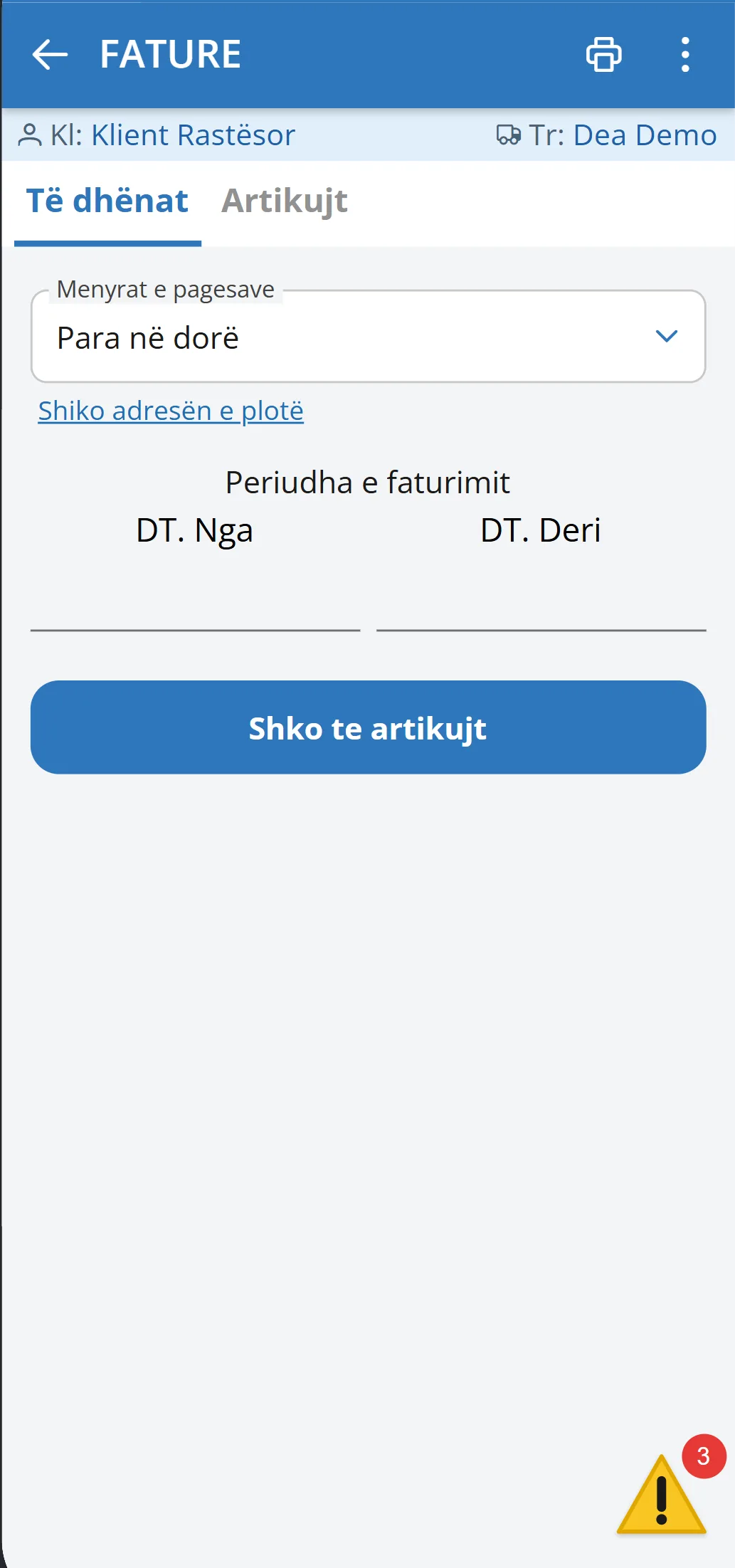
Open “Faturë Shitje e Re” (new sales invoice) and pick the customer. The payment method is set for you, from the customer or from the user defaults.
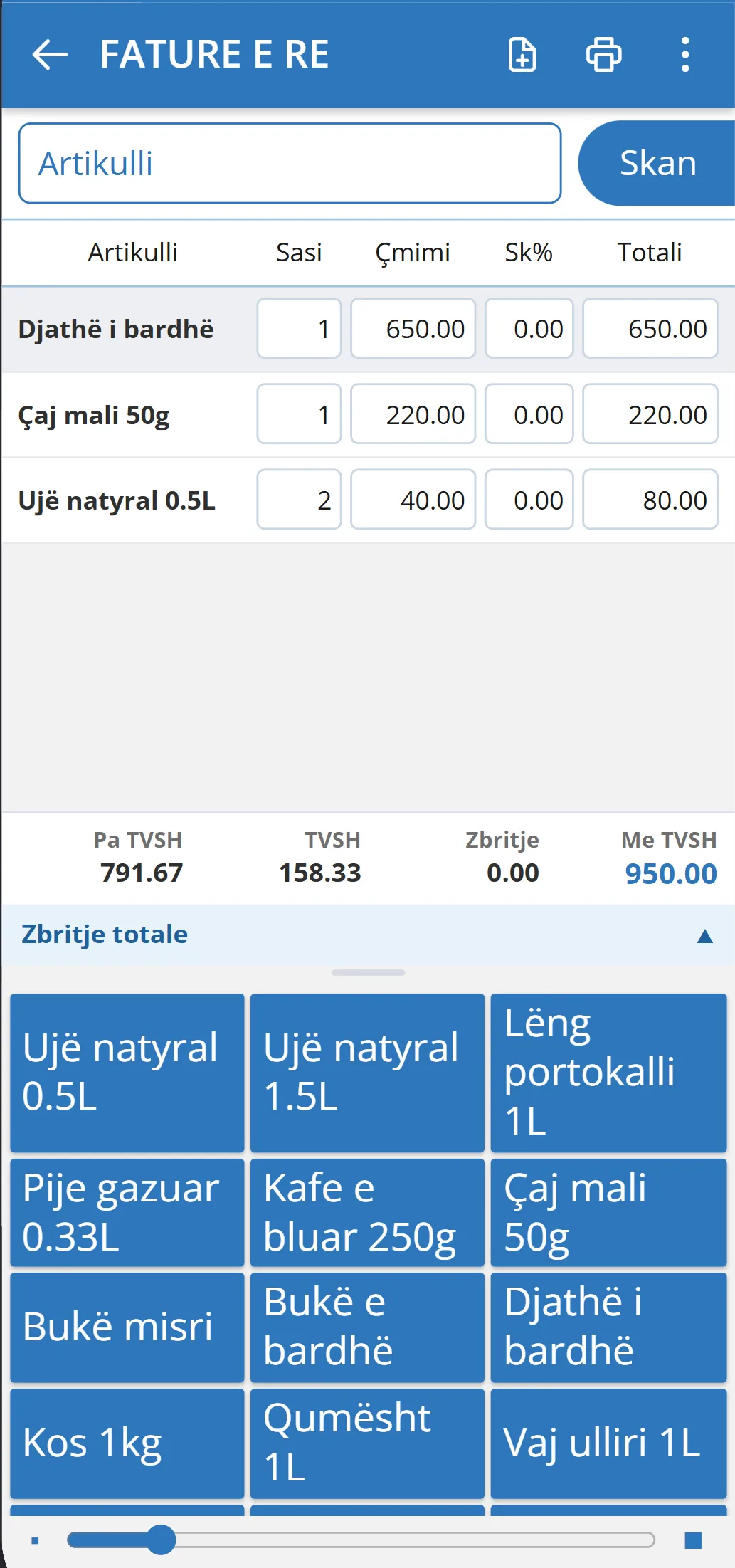
Search the item by name, code or barcode, enter the quantity and tap “+”. The price comes from the price list.
“RUAJ/PRINTO FATUREN” (save/print invoice) saves the invoice on the server and prints it on the Bluetooth printer.
A fiscalized invoice carries the NSLF, the NIVF and the QR code. Offline, it is saved on the phone and sent when the connection is back.
Features
Customer, items and payment on two tabs. One tap saves and prints it.
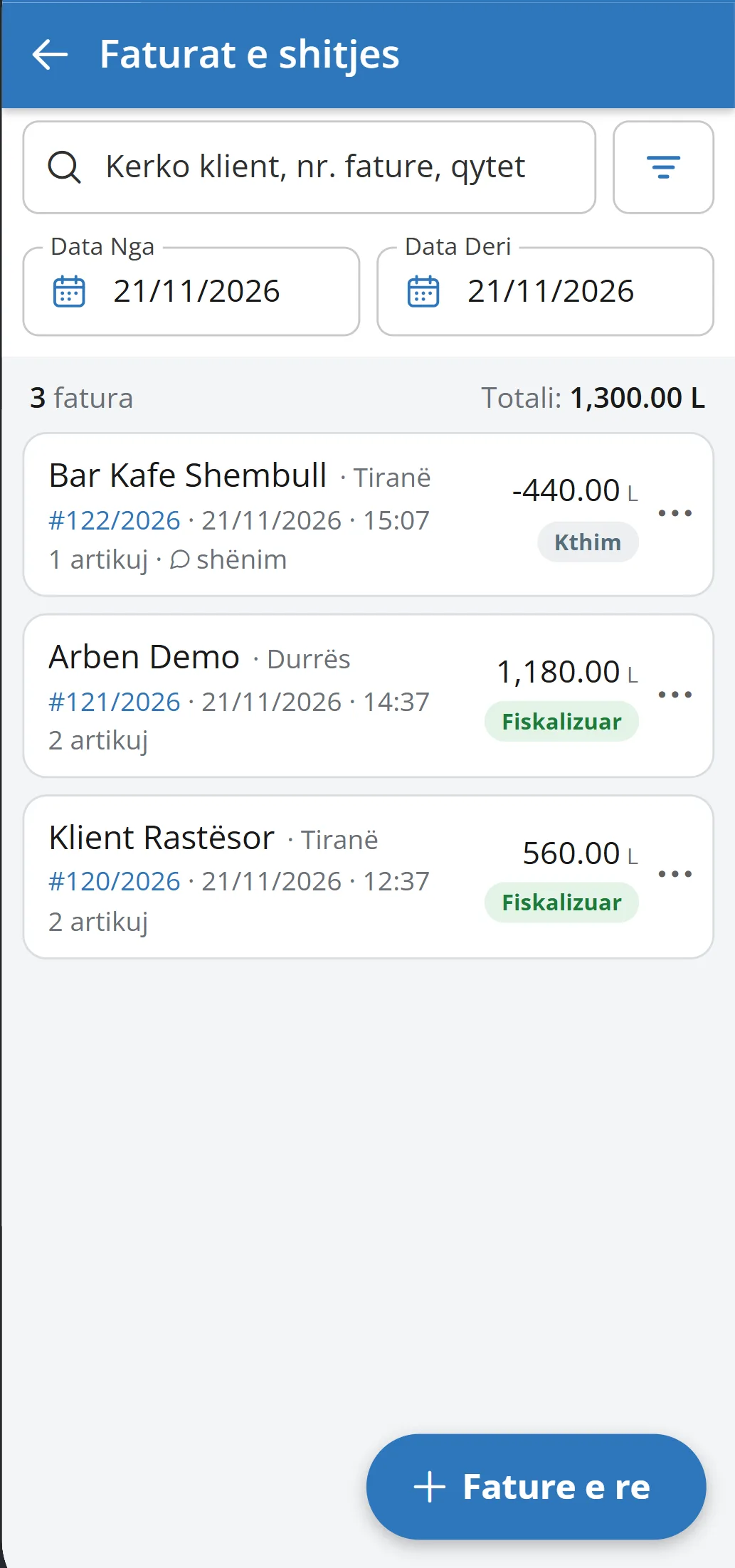
Search, filters, the period total and the fiscal status of every invoice.
Item cards, barcode scanning with the camera and a discount on the total.
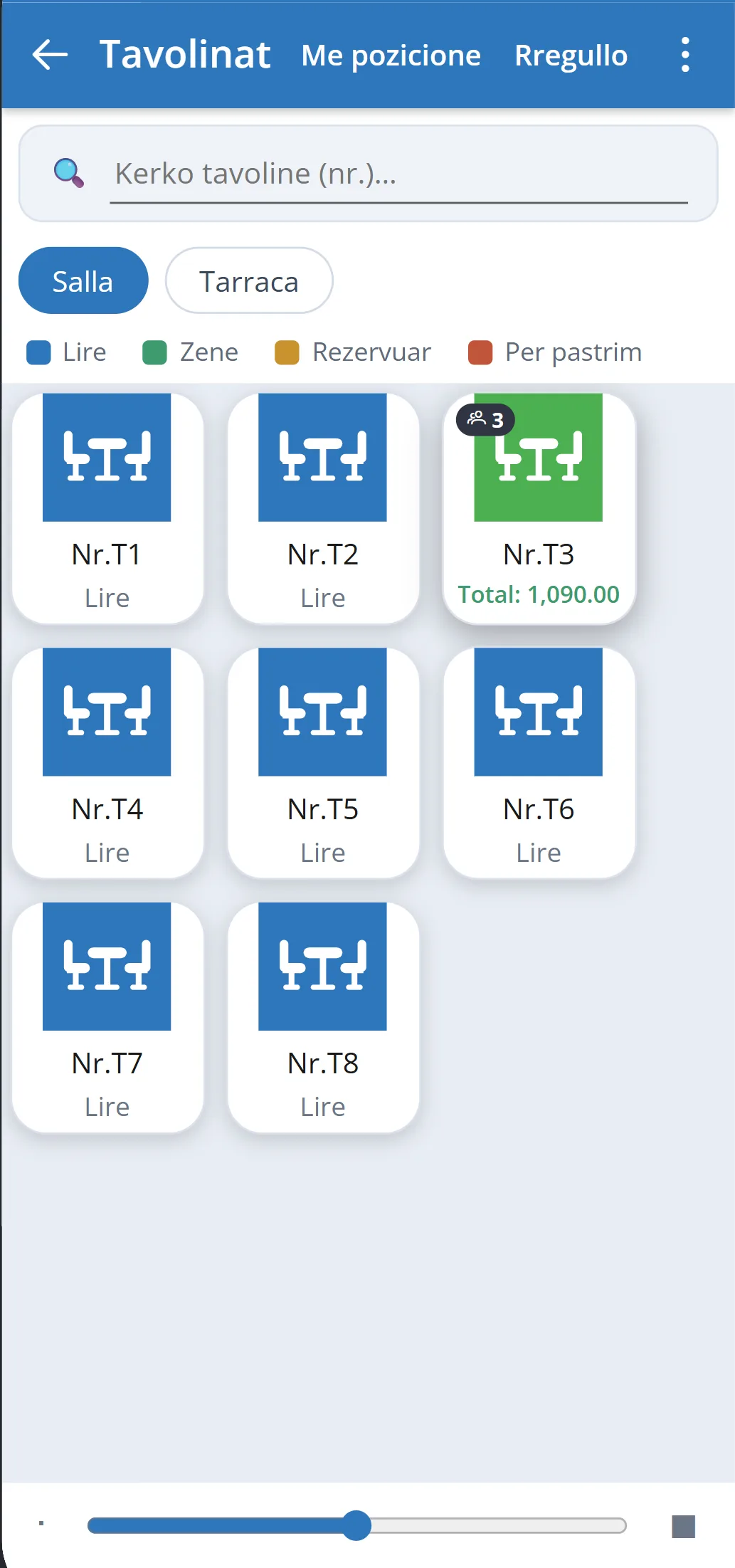
Tables, orders to the kitchen, the bill at the end and the shift closure.
Live demo
The demo has the screens of the eFatura app, rebuilt in the browser with sample data. Nothing is sent, stored or fiscalized.
Offline
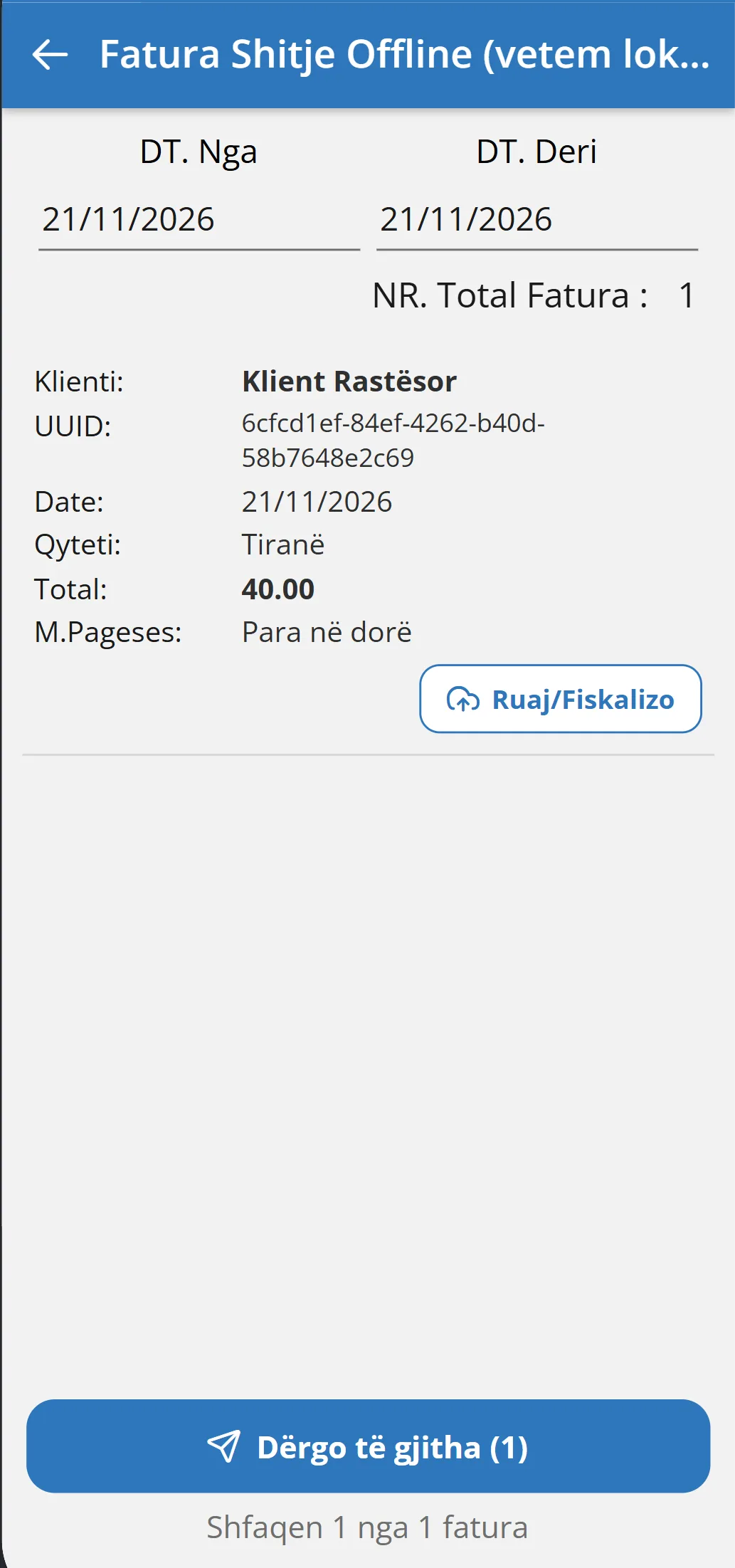
With “Puno Offline?” (work offline) on, an invoice that cannot reach the server is saved on the phone and printed. When the connection is back, you send it with one tap.
Fiscalization
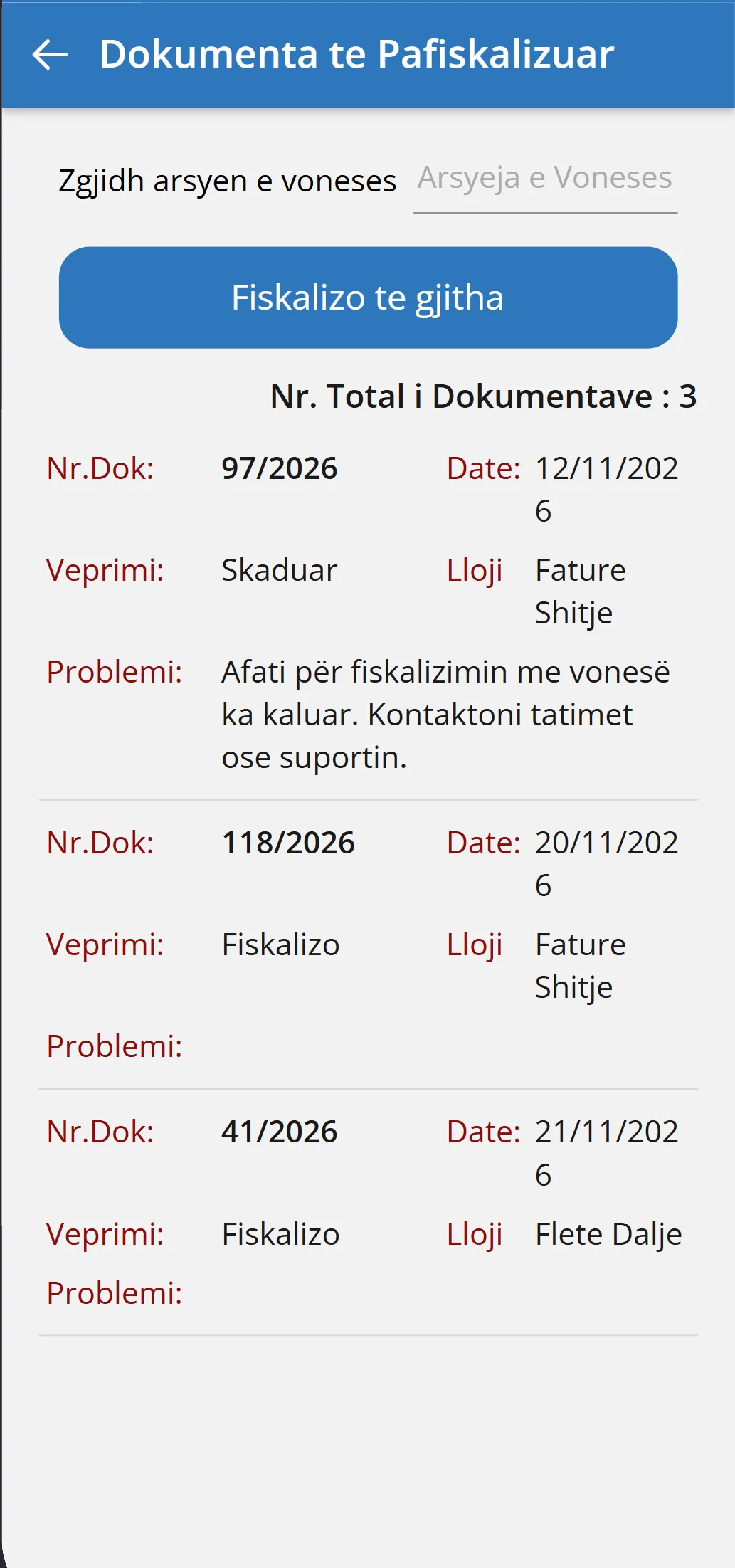
The invoice is saved on the server and fiscalized. The fiscal codes are printed at the bottom of the invoice. Documents that are not fiscalized yet are listed in one place and fiscalized together.
Documents
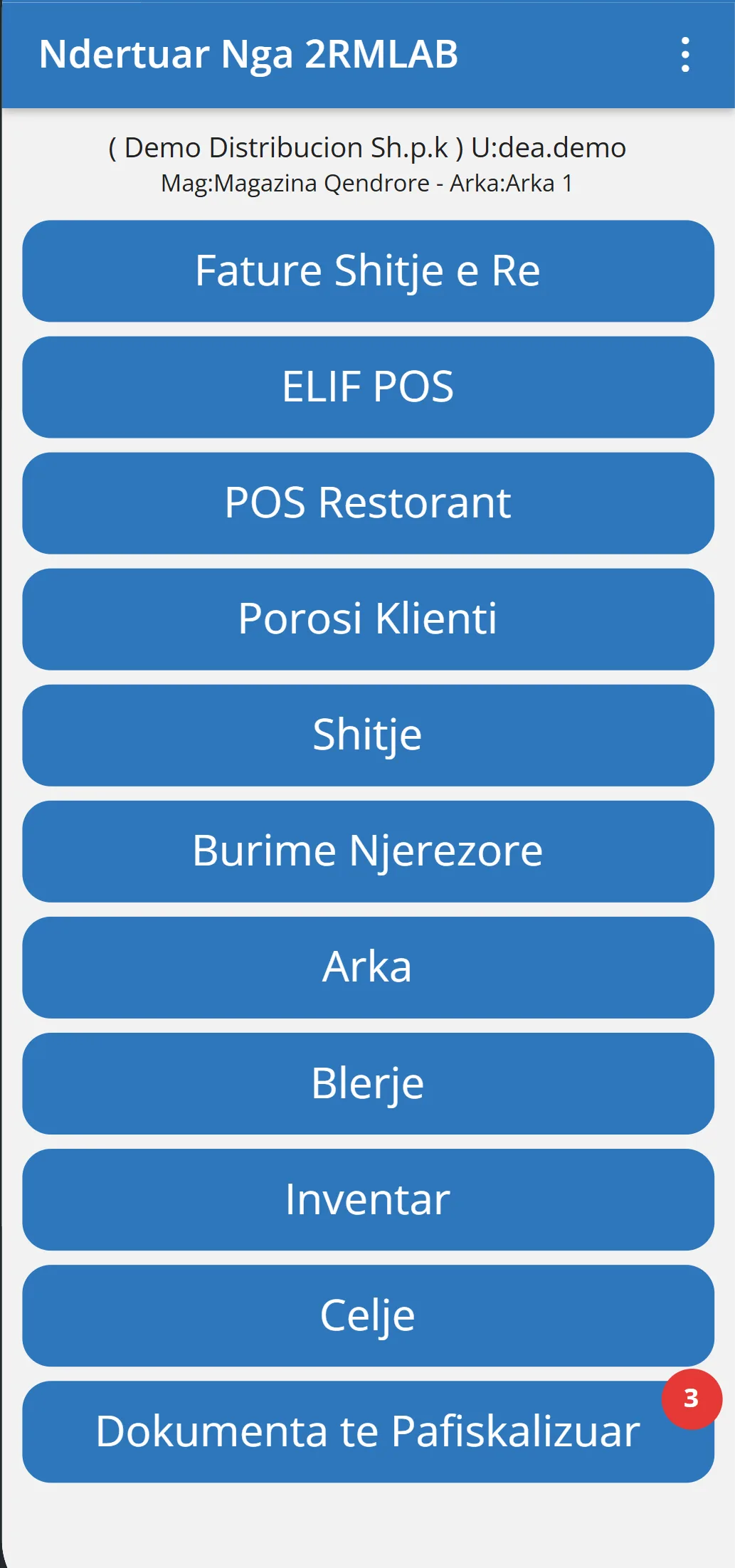
From the sales invoice to goods moving between warehouses. Each document has its own list and prints from the phone.
The tax invoice with the customer, items, payment and fiscal codes.
Quick sales with item cards and barcodes, with a printed invoice.
Orders go to the kitchen printers; the bill closes the table.
Goods leaving the warehouse, with their cost and fiscal value.
Goods moving from one warehouse to another, with the carrier’s details.
A warehouse asks for goods; the approver rejects it or generates the goods issue note.
Printing
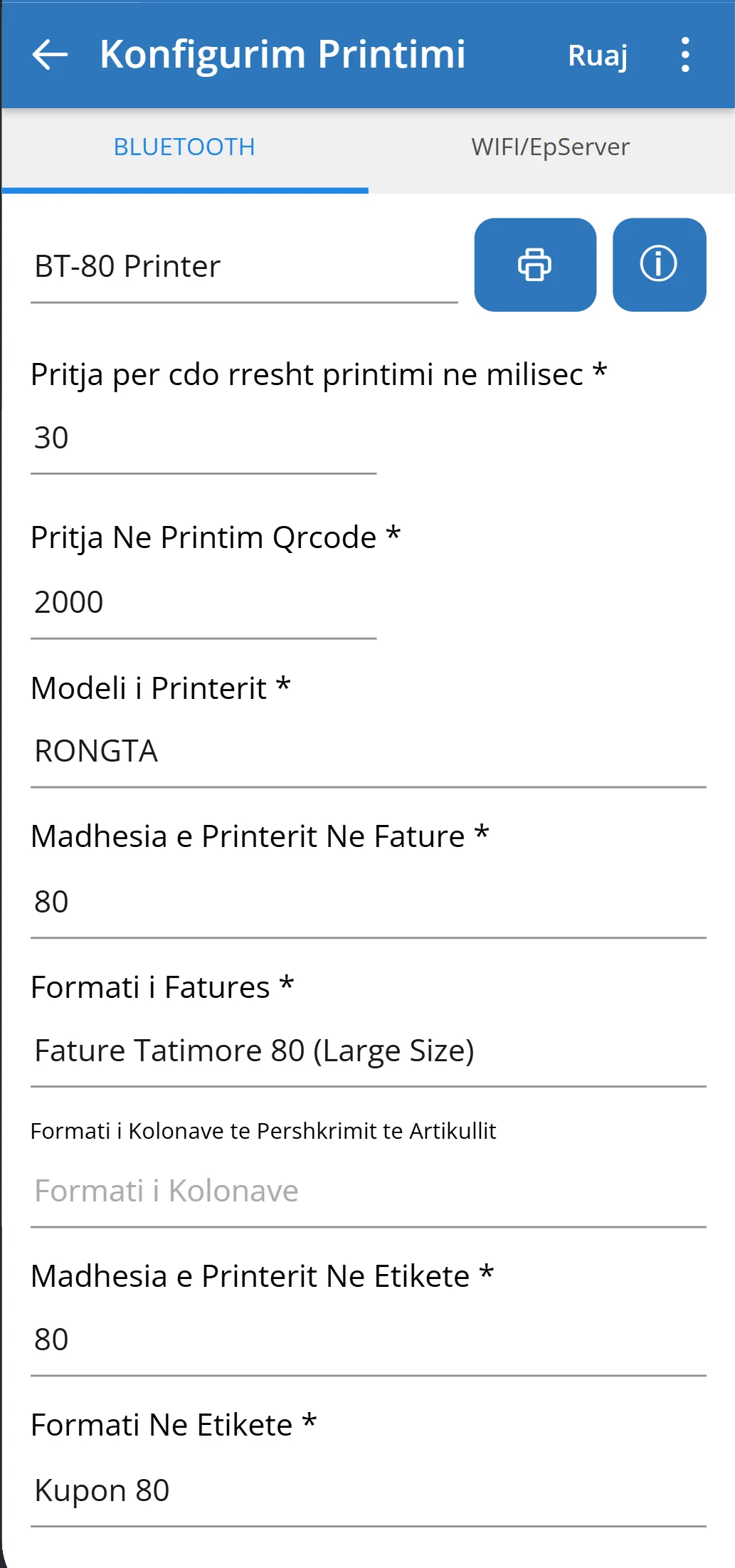
A Bluetooth thermal printer paired with the phone is enough for invoices in the shop and in the field. In the restaurant, WiFi and EpServer printers print the orders in the kitchen.
FATURE TATIMORE
Shembull shpk
Rruga e Durresit, Tirane
L00000000A
Shuma pa Tvsh:541.67
Total Tvsh:108.33
Per tu paguar:650.00
NIVF:5c2f0e9a-7d41-4b8e-9a63-2f1d8c4b7e10
NSLF:9B2D41E07AC35F6B8D1E2C4A0F7E10C4
Who it is for
FAQ
eFatura is the 2RM Lab app for Android and iOS for electronic tax invoices. It issues sales invoices, sells in POS Market and POS Restaurant, and makes goods issue notes, shipping invoices and supply requests. Invoices are fiscalized, printed on a thermal printer and can be made offline too.
An Android phone or iPhone with the eFatura app, a user in your company and a Bluetooth thermal printer paired with the phone. The default customer, warehouse, cash desk and payment method are set in the user defaults.
Yes. The invoice is saved on the server and fiscalized. A fiscalized invoice prints with the NIVF, the NSLF and the QR code, and is marked “Fiskalizuar” (fiscalized) in the invoice list.
With “Puno Offline?” (work offline) on, the app asks whether to save the invoice on the phone. It prints as “Faturë e pafiskalizuar” (unfiscalized invoice). When the internet is back, you send it with “Dërgo” (send) in the invoice list: sending is not automatic.
In “Dokumenta të Pafiskalizuar” (unfiscalized documents), which shows a red count on the home screen. Pick the delay reason, for example “Ska pasur Internet” (no internet), and tap “Fiskalizo të gjitha” (fiscalize all). Only documents that still have a problem stay in the list, with the reason.
Bluetooth thermal printers paired with the phone, such as RONGTA, Bixolon, GOOJPRT, AOCOM and Woosim, from 42 to 100 mm. For restaurants also WiFi printers with an IP and a port, or EpServer, a print program on a computer.
Yes. POS Restaurant shows the tables as a list or on a floor plan. “Porosi” (order) sends the items to the kitchen or bar printer, “Printo” (print) closes the table with the bill, and “Mbyll Turnin” (close shift) closes the shift with the cash summary.
In POS Market and POS Restaurant the camera icon scans the barcode and adds the item with that barcode. On the sales invoice the item is searched by name, code or barcode, also with a scanner that types into the search field.
Yes. Under “Inventar” you make goods issue notes and shipping invoices between warehouses, fill them with the warehouse stock in one tap, and make supply requests that are approved and turned into goods issue notes.
This site describes invoicing and fiscalization in Albania. The app also has its own fiscalization flow for Kosovo, with ATK.